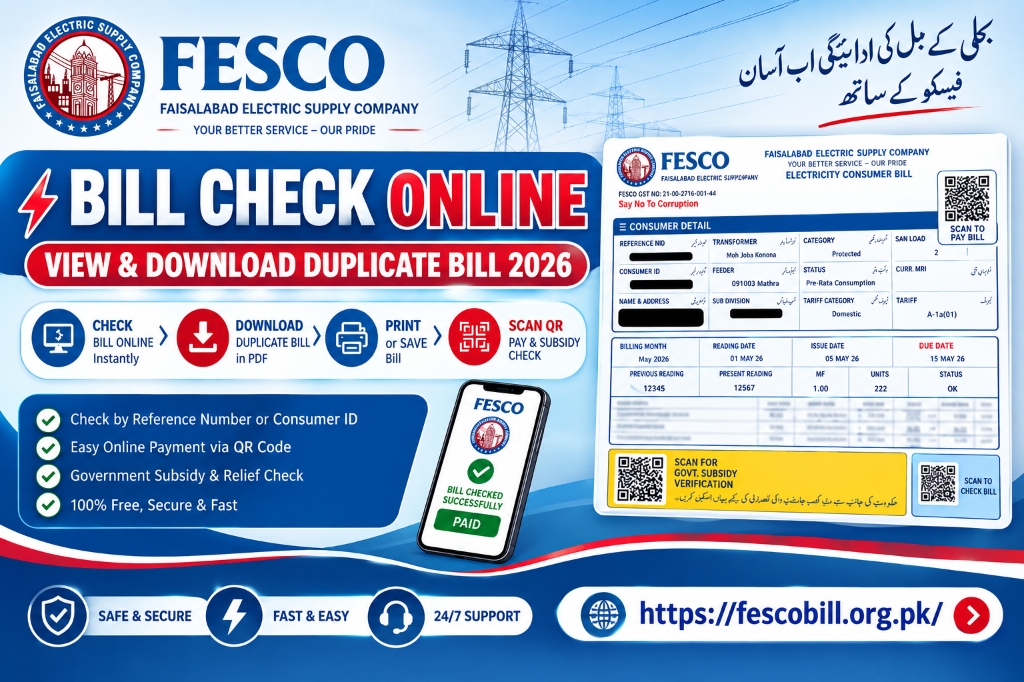
It's now much simpler to check your FESCO bill online than to wait for the paper statement to arrive at your house. Without going to a FESCO office, customers may now check their electricity bills, see the amount owed, download duplicate bills, print copies, and use various payment options right from their mobile phone or laptop on fescobill.org.pk.
Faisalabad Electric Supply Company is referred to as FESCO. It is one of the biggest energy distribution corporations in Pakistan, providing power to millions of people in various Punjabi areas including Faisalabad, Sargodha, Mianwali, Khushab, Jhang, Bhakkar, Toba Tek Singh, and Chiniot districts. Having easy access to your FESCO bill online can help you avoid late payments, extra fees, and needless excursions to customer care centers because power invoices are issued on a monthly basis.
Everything you need to know about the FESCO bill is covered in this thorough guide, including how to check it online, download a duplicate bill, comprehend the information printed on your bill, available payment options, typical issues, and helpful advice for handling your electricity account.
What Is a FESCO Bill?
Customers who receive electrical services from the Faisalabad Electric Supply Company are sent a monthly charge known as a FESCO bill. Your electricity consumption, applicable electricity charges, taxes, adjustments, meter readings, due date, and total amount due are all included in the bill.
Generally, your FESCO bill includes a number of crucial data that explain how your electricity costs were determined. Your reference number, customer details, meter number, past and present readings, units consumed, billing month, due date, and payable amount are some examples of these.
Because power costs might vary based on use, tariff rates, taxes, government adjustments, and other relevant charges, it's critical to monitor your monthly statement regularly.
How to Check FESCO Bill Online
One of the simplest ways to determine your current electricity costs is to check your FESCO bill online. To retrieve your bill, you typically need your FESCO reference number or other necessary customer information. Take the following broad actions:
What Is a FESCO Reference Number?
One of the most crucial pieces of information related to your electrical connection is the FESCO reference number. It is used to retrieve billing information and identify your account across FESCO's digital database.
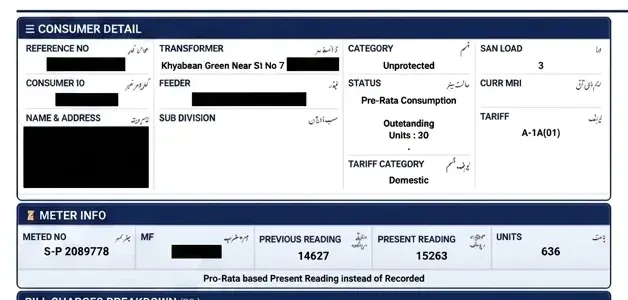 Sample FESCO Bill Consumer Detail & Meter Info Section
Enter the reference number precisely as it appears on your prior electricity bill when you check your bill online. To avoid having to look for an old bill each month, it is a good idea to store your reference number somewhere safe.
On their bills, customers may also discover further identifying details like:
- Consumer name & billing address
- Meter number & connection number
- Tariff category (e.g. A-1a Residential, A-2a Commercial)
- Billing month & issue date
- Previous meter reading & current meter reading
- Units consumed (kWh)
- Due date & total amount payable
How to Download a Duplicate FESCO Bill
You might not always receive the original electricity bill. It may also be lost, broken, or unintentionally thrown away. Thankfully, a duplicate copy of your FESCO statement is typically available online on fescobill.org.pk.
Enter your necessary consumer information on the bill-checking page to get a duplicate bill. Look for options like "Download Bill," "Duplicate Bill," or "Print Bill" once the bill has been presented. The bill can be stored on your computer or phone as a PDF file.
- There was no delivery of the physical paper bill.
- Your original paper bill was misplaced or destroyed.
- For your financial records, you must have a digital copy.
- Before making a payment online, you should review itemized charges.
- The bill is required as official proof of address documentation.
- You would like to split the bill with another member of your family.
How to Print FESCO Bill Online
Additionally, printing a FESCO bill is simple. Get your bill online first. Choose the print option from the page after the bill has appeared. If the system offers a PDF version, you can download it and use your home printer or a nearby printing business to print it.
Verify the reference number, customer name, billing month, amount payable, and due date before printing. In most cases, the billing information required for bank payment can be obtained by printing a duplicate bill.
How to Understand Your FESCO Electricity Bill
Because they include a variety of charges and technical words, electricity bills can occasionally appear confusing. Monitoring your electricity costs can be made simpler by being aware of the key elements:
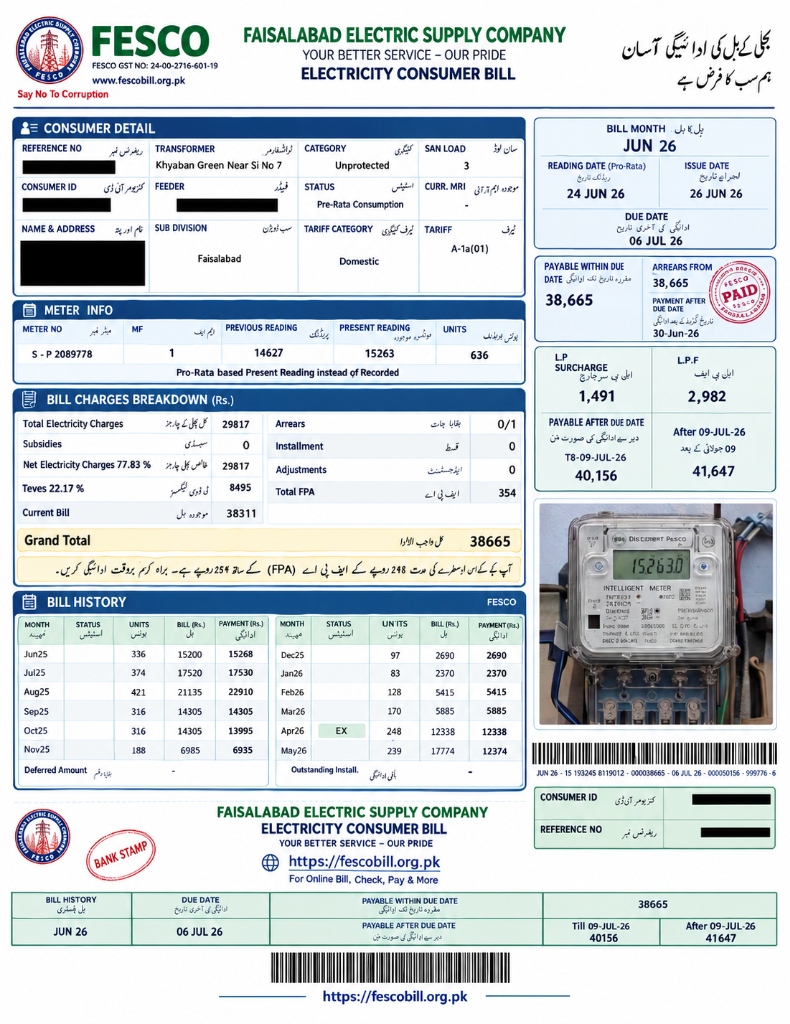 Full Sample FESCO Electricity Bill Statement (fescobill.org.pk)
Consumer Information
Information on the electrical connection is often included in the top area. The consumer's name, address, tariff category, reference number, meter number, and other account details may be included. Verify this information thoroughly at all times. Contact the appropriate FESCO customer support channel if you discover a significant error.
Meter Readings
Your current and past meter readings may be included in your bill. The electricity units used during the billing period are calculated using the difference between the values. For instance, depending on the meter and billing calculations displayed on the bill, the recorded consumption can be 250 units if the prior reading was 15,000 and the current reading is 15,250.
Units Consumed
Kilowatt-hours, or units, are often used to measure electricity use. Your electricity bill may be significantly impacted by your monthly consumption. Increased consumption may lead to greater fees, especially if applicable tariff structures employ multiple rates for varying levels of consumption.
Billing Month & Due Date
The period for which the bill was generated is indicated by the billing month. The deadline for payment without incurring any late fees is known as the due date. Customers should make an effort to pay their electricity bills on time or ahead of schedule.
Total Amount Payable
The total amount payable indicates how much the bill requires you to pay. The sums linked with the current bill, the due date payment, and the payment after the due date may vary depending on late payment surcharges.
Why Is My FESCO Bill Higher This Month?
Why their electricity bill suddenly went up is one of the most often asked topics by customers. There could be a number of causes:
- Increased Electricity Consumption: Increased electricity use is the most evident cause. Customers commonly use air conditioners, fans, refrigerators, water pumps, and other equipment more frequently during hot weather.
- Tariff Changes: Governmental or regulatory decisions by NEPRA may result in changes to electricity rates.
- Taxes and Government Charges: Numerous taxes, duties (GST, Electricity Duty, TV Fee), and other government-related fees may add to the total amount.
- Fuel Price Adjustments (FPA): Adjustments related to shifts in the cost of producing power are added periodically.
- Previous Outstanding Amount: The unpaid balance from an earlier bill can show up on a subsequent bill if it was not paid in full.
FESCO Bill Payment Methods
Customers can pay their electricity bills in a number of convenient ways:
Common Problems When Checking FESCO Bill Online
Even though checking bills online is handy, consumers occasionally run across issues:
- Reference Number Not Working: Examine each digit closely if the reference number does not result in a bill. Don't insert irrelevant numbers or add spaces.
- Bill Not Available: If the billing information has not yet been updated for the new month, try checking again later.
- Website Not Loading: Occasionally, high traffic or maintenance can cause delays. Refresh the page or visit fescobill.org.pk.
How to Reduce Your Electricity Bill
Cutting back on wasteful electricity use will help you save money each month:
- Use Energy-Efficient Appliances: Inverter ACs and LED lights consume significantly less electricity.
- Turn Off Unused Appliances: Switch off lights, fans, laptops, and chargers when not in room.
- Use Air Conditioners Efficiently: Set temperature at 26°C and keep windows closed.
- Maintain Refrigerators: Ensure door seals are tight and don't leave doors open.
- Monitor Monthly Units: Track your unit consumption to remain in protected consumer slabs.
Frequently Asked Questions About FESCO Bill
Final Thoughts
Customers now find it much easier to manage their monthly electricity bills thanks to the opportunity to view their FESCO account online. You can see your billing information online, verify the amount owed, examine your electricity usage, download a duplicate copy, and make arrangements to pay before the due date rather than waiting for a paper bill. Visit fescobill.org.pk whenever you need to check your bill!